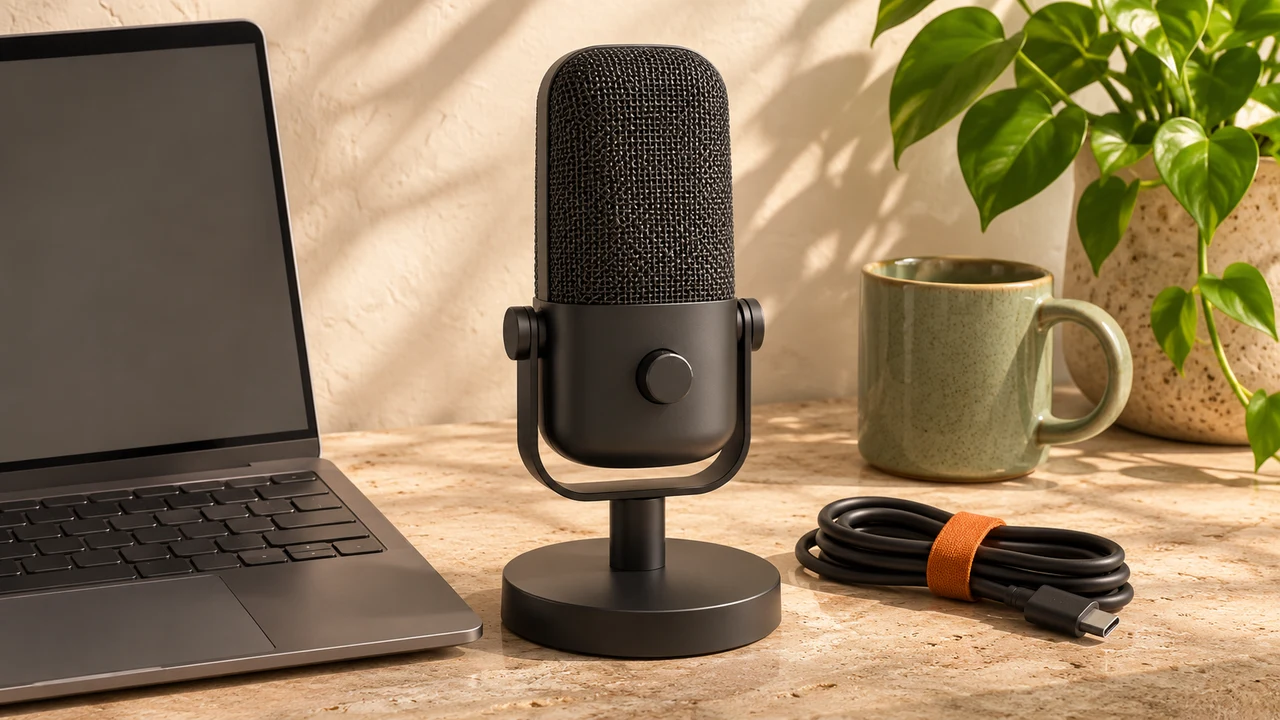
سجّل جملة قصيرة بصوتك ثم استمع لها بسماعة. انتبه لصوت المكيف ولوحة المفاتيح وصدى الغرفة. يوضح دليل Shure أثر الضوضاء والانعكاسات وقرب الميكروفون من المتحدث؛ لذلك لا تفترض أن جهازًا جديدًا سيعالج مكانًا سيئًا بمفرده.
اختر مكانًا تستطيع فيه وضع الميكروفون بالقرب منك دون أن يغطي الشاشة أو يعوق الكتابة. راجع اتجاه التحدث في دليل الموديل: بعض الأجهزة تُستخدم من جانبها وأخرى من طرفها.
اتصال بسيط أم نظام قابل للتوسع؟
قبل اختيار USB أو نظام يحتاج واجهة صوت، ارسم سلسلة الاتصال كاملة من الميكروفون إلى الكمبيوتر. أضف الحامل والكابل والواجهة إن كانت مطلوبة إلى قائمتك. للاجتماعات اليومية، قد تكون بساطة بدء المكالمة أهم من خيارات تسجيل لن تستخدمها.
لا تحكم على الميكروفون بكلمة ديناميكي أو مكثف وحدها. اطلب معرفة نمط الالتقاط ومتطلبات التشغيل وكيف ستضعه على مكتبك. إن كنت تتحرك كثيرًا، قارن أيضًا حلًا يظل قريبًا من الفم بدل تثبيت جهاز بعيد.
أشياء صغيرة تصنع فرقًا
هل زر الكتم واضح ويمكن الوصول إليه أثناء الكلام؟ افحص ما الذي يكتمه فعليًا في برنامجك.
هل تحتاج منفذ سماعة لمراقبة الصوت، أم تكفيك سماعة الكمبيوتر الحالية؟
هل الحامل ثابت ويمكن وضعه بعيدًا عن مسار اليد والكيبورد؟
هل يستطيع جهاز العمل تشغيله دون تثبيت برنامج غير مسموح؟ تحقق مع سياسات العمل قبل الشراء.
اختبار عملي بعد التوصيل
اختبر بالصوت الطبيعي لا بالصراخ، ثم اكتب على لوحة المفاتيح أثناء الكلام لتسمع ما يصل. اختر مصدر الإدخال الصحيح في برنامج الاجتماع، وغيّر إعدادًا واحدًا كل مرة حتى تفهم أثره. احتفظ بعينة لنفسك وقارنها بإعدادك السابق، ولا تسجل اجتماعًا أو أصوات زملائك دون الإذن المناسب.
ميكروفون HyperX SoloCast USB — خيار USB للمكتب مع كتم باللمس ومؤشر ضوئي. جرّبه قريبًا منك وافحص الكتم في برنامج اجتماعك؛ الميكروفون ما يلغي صدى الغرفة.
بصفتي مشارك لأمازون، فإنني أكسب من عمليات الشراء المؤهلة. لا نعرض سعر أمازون ولا صوره: السعر والتوفر في صفحة المنتج على أمازون وقت الشراء. لم يختبر WESH هذه المنتجات بنفسه؛ اخترناها لأن مواصفاتها المعلنة تطابق معايير الدليل.
حدود هذا الدليل
هذا دليل معايير، وليس اختبارًا معمليًا. WESH لم يختبر أي منتج بنفسه ولا يعرض نتائج قياس.
لا يذكر هذا الدليل سعرًا؛ السعر والتوفر والشحن والضريبة يحددها المتجر وقت الشراء.
المواصفات تتغير بين الإصدارات والأسواق. تحقق من صفحة المنتج لدى المتجر ومن ورقة المواصفات لدى الشركة المصنّعة قبل الشراء.
لا يقدم WESH توصية طبية أو هندسية ولا يضمن ملاءمة منتج لحالتك.
أسماء العلامات التجارية المذكورة تعود إلى أصحابها، وذكرها للتعريف بالفئة فقط ولا يعني اعتمادًا أو شراكة.
Clear speech starts with microphone placement and the room, not the product’s appearance. Plan your connection, seating and mute controls before buying for meetings.
Record a short sentence of your own voice and listen through headphones. Notice air conditioning, typing and room echo. Shure explains how noise, reflections and speaking distance affect recordings, so do not expect a new microphone to fix an unsuitable position by itself.
Choose a position that keeps the microphone nearby without blocking the screen or your hands. Check the model’s instructions for the correct speaking side or end.
Simple connection or expandable setup?
Before choosing USB or an interface-based arrangement, draw the complete path from microphone to computer. Include any required stand, cable and interface in your shopping list. For daily meetings, quick setup may matter more than recording options you will never use.
Do not decide from the words dynamic or condenser alone. Check pickup pattern, operating requirements and the position the device will occupy. If you move frequently, compare an option that stays near your mouth rather than a distant fixed microphone.
Check everyday controls
Is mute easy to reach and understand? Check what the button actually mutes in your application.
Do you need a headphone monitoring connection, or can you keep your current listening setup?
Can the stand sit securely outside the path of typing and hand movement?
Will the work computer accept the device without prohibited software or administrator changes?
Test normal speech
Speak at your usual level, then type while talking to hear what is captured. Select the intended input in the meeting application and change one setting at a time. Save a private sample to compare with the previous setup. Do not record meetings or colleagues without appropriate permission; your own short test is enough to assess the arrangement.
HyperX SoloCast USB Microphone — A desk USB mic with tap-to-mute and an indicator light. Try it close to you and check mute in your meeting app; it won't remove room echo.
As an Amazon Associate I earn from qualifying purchases. We show neither Amazon's price nor its pictures: price and availability are on the Amazon product page at the time you buy. WESH has not tested these products; they are listed because their declared specifications match this guide's criteria.
Limits of this guide
This is a criteria guide, not a laboratory test. WESH has not tested any product itself and reports no measurements.
No price appears here. Price, availability, shipping and tax are set by the merchant at checkout.
Specifications change between revisions and markets. Check the merchant product page and the manufacturer spec sheet before buying.
WESH gives no medical or engineering recommendation and does not warrant that a product suits your case.
Brand names are the property of their owners and are used to identify a category, not to imply endorsement or partnership.