صوّر معاينة من الكاميرا الحالية في وقت اجتماعك المعتاد، من دون تسجيل أشخاص آخرين. هل المشكلة وجه مظلم، خلفية واسعة، تثبيت غير مناسب، أم صورة غير واضحة؟ اكتب المشكلة في جملة حتى لا تشتري كاميرا جديدة وتبقي السبب نفسه.
حرّك المصباح أو غيّر اتجاه الجلوس قبل الحكم على الكاميرا. إن كان الضوء القوي خلفك، حاول جعل الإضاءة أمامك من زاوية مريحة. هذه تجربة إعداد بسيطة، وليست وعدًا بأن كل كاميرا ستعطي النتيجة نفسها.
ما المواصفات التي تخدم اجتماعك؟
راجع الدقة ومعدل الإطارات اللذين يدعمهما برنامج الاجتماع وإعدادات حسابك، ثم قارن الكاميرات على هذا الأساس. إن كنت وحدك، فكر في مقدار الغرفة الذي تريد إظهاره، لا في أكبر زاوية تصوير ممكنة.
تشرح Logitech أن أدوات الكاميرا المدعومة قد تتيح ضبط التعريض وتوازن اللون والتركيز والتكبير. تحقق من البرنامج المتوافق مع الموديل ونظام التشغيل، ولا تفترض أن كل كاميرات العلامة تدعم الأدوات نفسها.
قائمة تجهيز المكتب
تأكد أن المشبك يناسب سمك الشاشة ولا يحجب جزءًا من الصورة أو يضغط عليها.
قِس مسار السلك إلى المنفذ المتاح، خصوصًا إذا كان الكمبيوتر تحت المكتب.
اختر طريقة خصوصية واضحة لك: غطاء فعلي إن احتجته، وإعدادات أذونات مفهومة.
راجع مصدر الصوت منفصلًا؛ شراء كاميرا أفضل لا يحسم جودة الميكروفون المستخدم في الاجتماع.
اختبار الاستلام
افتح معاينة برنامجك نفسه، لا برنامج الكاميرا فقط. جرّب الحركة والجلوس الطبيعي ومشاركة الشاشة مع الفيديو. تأكد أن التطبيق اختار الكاميرا المطلوبة بعد فصلها وإعادة توصيلها، ثم اضبط إطارًا لا يكشف أوراق العمل أو معلومات خاصة في الخلفية. احفظ إعدادًا عمليًا بدل تغيير كل الخيارات قبل كل مكالمة.
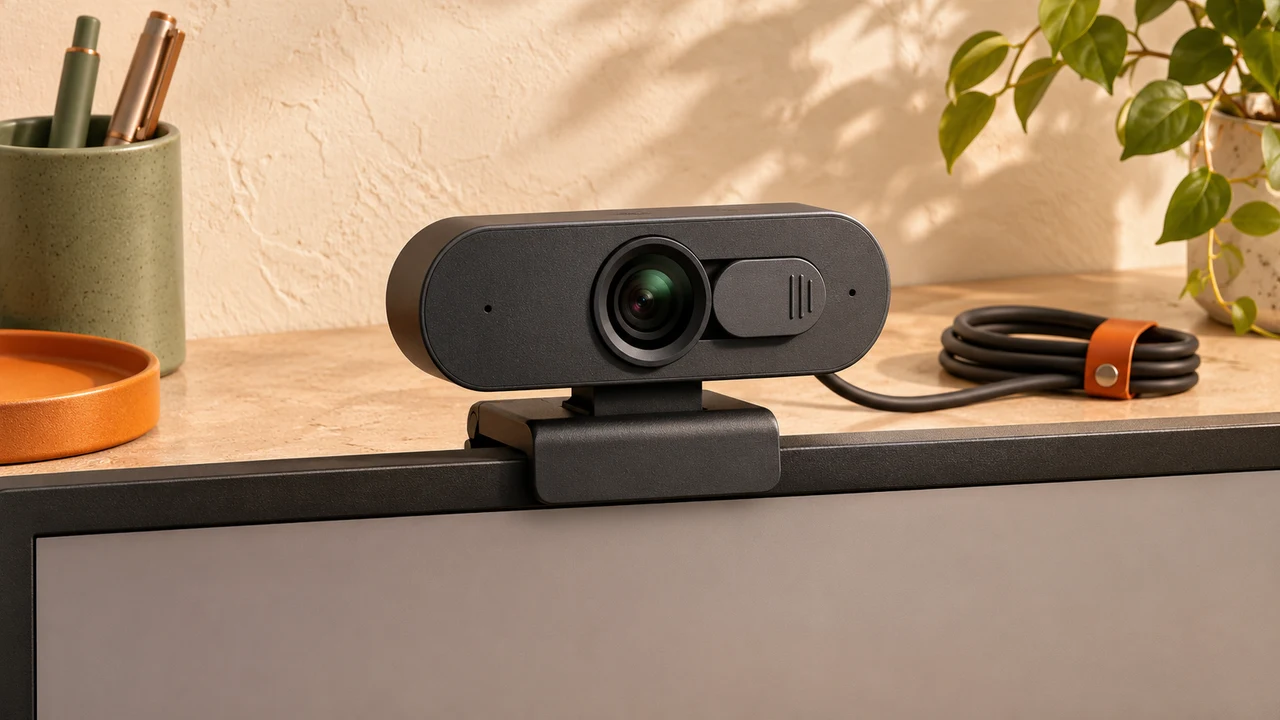
كاميرا Logitech C920s بغطاء خصوصية — كاميرا اجتماعات بدقة تصل إلى 1080p وغطاء فعلي للعدسة. جرّب الإضاءة أولًا وتأكد من توافق المنفذ وبرنامج اجتماعاتك.
بصفتي مشارك لأمازون، فإنني أكسب من عمليات الشراء المؤهلة. لا نعرض سعر أمازون ولا صوره: السعر والتوفر في صفحة المنتج على أمازون وقت الشراء. لم يختبر WESH هذه المنتجات بنفسه؛ اخترناها لأن مواصفاتها المعلنة تطابق معايير الدليل.
حدود هذا الدليل
هذا دليل معايير، وليس اختبارًا معمليًا. WESH لم يختبر أي منتج بنفسه ولا يعرض نتائج قياس.
لا يذكر هذا الدليل سعرًا؛ السعر والتوفر والشحن والضريبة يحددها المتجر وقت الشراء.
المواصفات تتغير بين الإصدارات والأسواق. تحقق من صفحة المنتج لدى المتجر ومن ورقة المواصفات لدى الشركة المصنّعة قبل الشراء.
لا يقدم WESH توصية طبية أو هندسية ولا يضمن ملاءمة منتج لحالتك.
أسماء العلامات التجارية المذكورة تعود إلى أصحابها، وذكرها للتعريف بالفئة فقط ولا يعني اعتمادًا أو شراكة.
Before upgrading a meeting camera, check lighting, framing and privacy. Choose a webcam around your desk and conferencing software rather than resolution alone.
Preview your existing camera at your usual meeting time, without recording other people. Is the problem a dark face, excessive background, poor mounting or unclear detail? Write one sentence describing it so a new purchase does not leave the original cause untouched.
Move a lamp or adjust seating before judging the camera. If strong light comes from behind, try comfortable front lighting instead. This is a setup experiment, not a promise that every camera will produce the same result.
Match features to the meeting
Check the resolution and frame-rate options supported by your meeting application and account settings. If you attend alone, decide how much of the room should appear rather than automatically choosing the widest view.
Logitech describes exposure, white balance, focus and zoom adjustments in supported camera tools. Confirm the software available for the exact model and operating system; tools are not interchangeable across every product from a brand.
Prepare the desk
Check that the mount fits the screen without covering its image or putting pressure on it.
Measure the cable route to an available port, especially for a computer beneath the desk.
Choose a clear privacy routine, including a physical cover if wanted and appropriate app permissions.
Treat audio as a separate decision: a camera purchase does not determine which microphone your meeting uses.
Use your actual application
Open the preview inside your conferencing software, not only the camera utility. Try normal movement and screen sharing with video enabled. Check the selected camera after reconnecting it, then frame the scene so private papers and work information stay outside the picture. Keep a reliable everyday setting instead of changing every control before each call.
As an Amazon Associate I earn from qualifying purchases. We show neither Amazon's price nor its pictures: price and availability are on the Amazon product page at the time you buy. WESH has not tested these products; they are listed because their declared specifications match this guide's criteria.
Limits of this guide
This is a criteria guide, not a laboratory test. WESH has not tested any product itself and reports no measurements.
No price appears here. Price, availability, shipping and tax are set by the merchant at checkout.
Specifications change between revisions and markets. Check the merchant product page and the manufacturer spec sheet before buying.
WESH gives no medical or engineering recommendation and does not warrant that a product suits your case.
Brand names are the property of their owners and are used to identify a category, not to imply endorsement or partnership.